Caregiver Sheet

Leave your gliders
with someone who actually knows what to do.

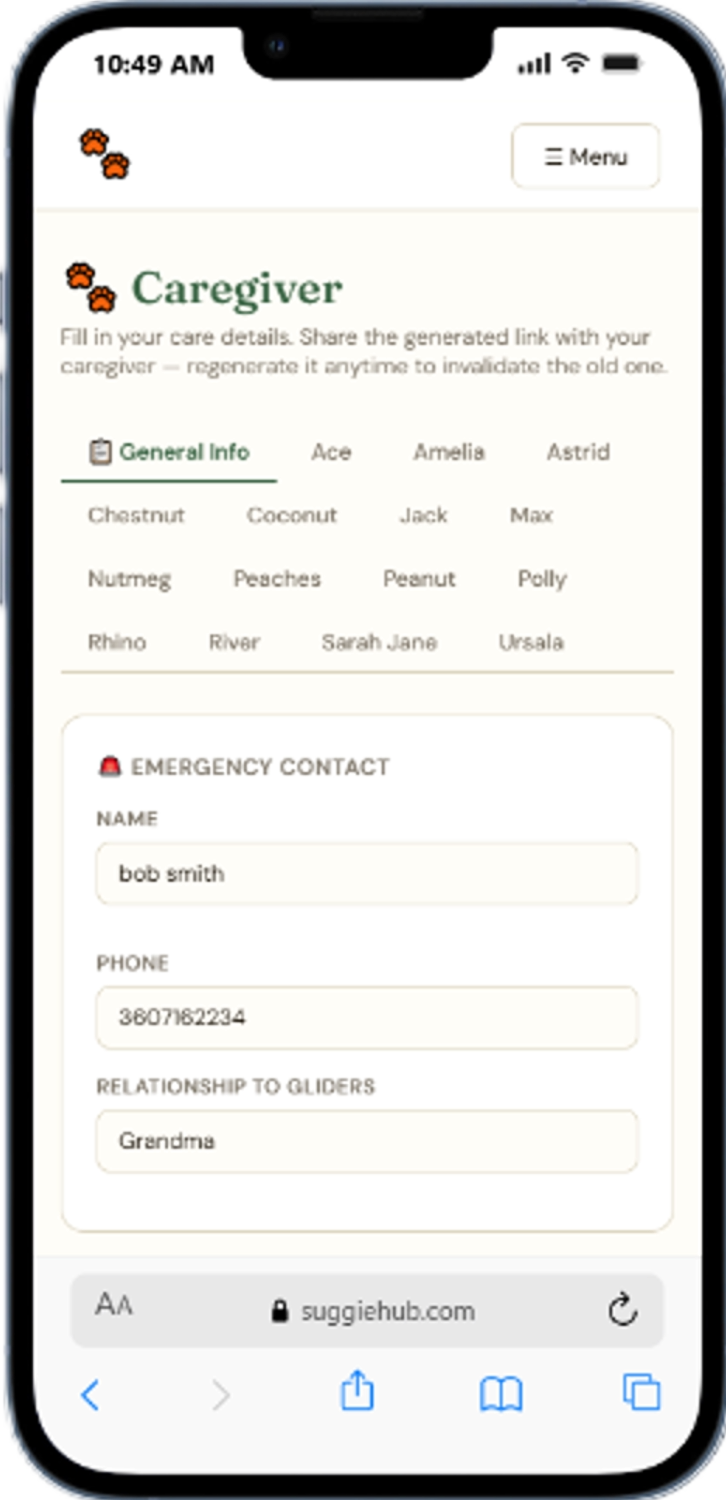
Fill in your emergency contacts, vet info, feeding instructions, foods to avoid, handling tips, and medical notes once — then share a private link with your caregiver. No login required. Every glider gets their own tab with their photo and individual care notes.

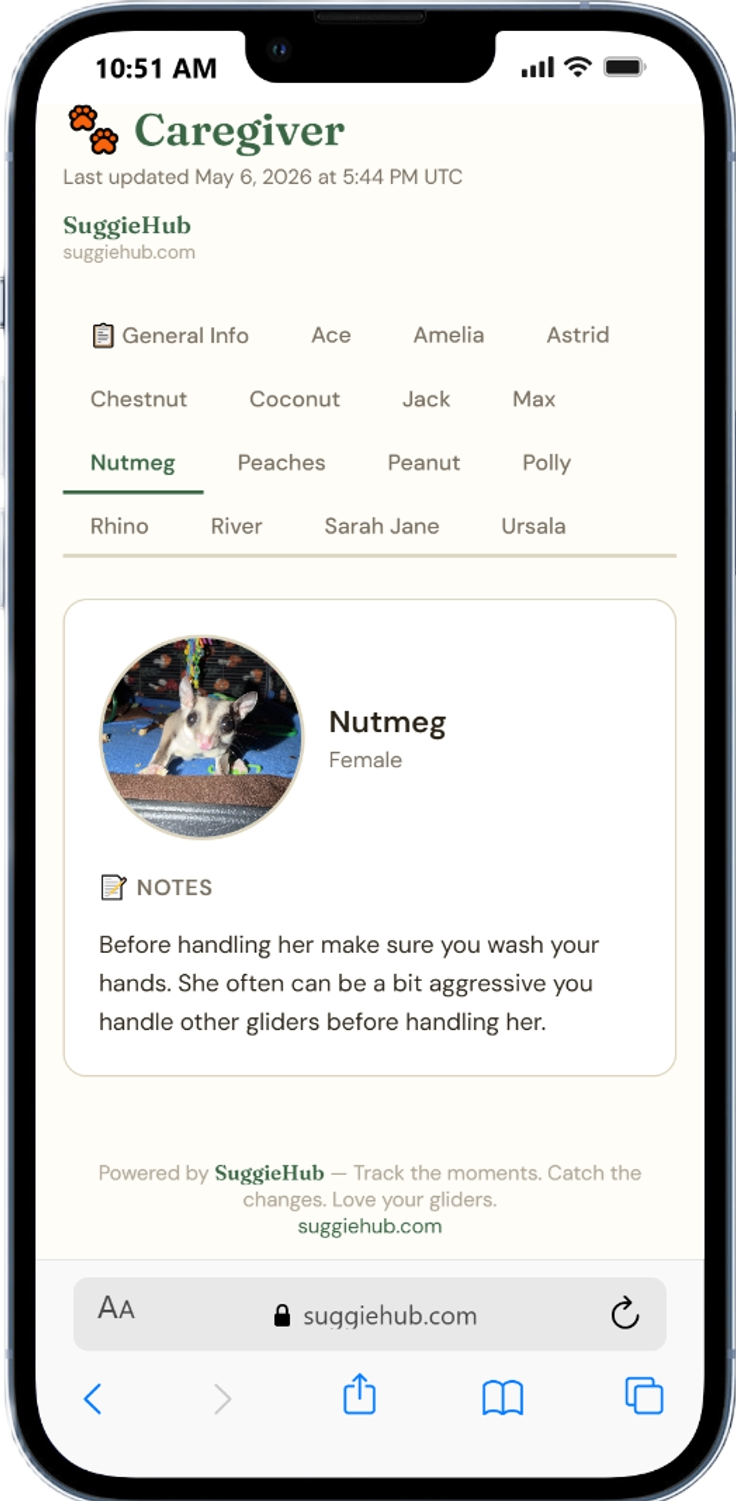
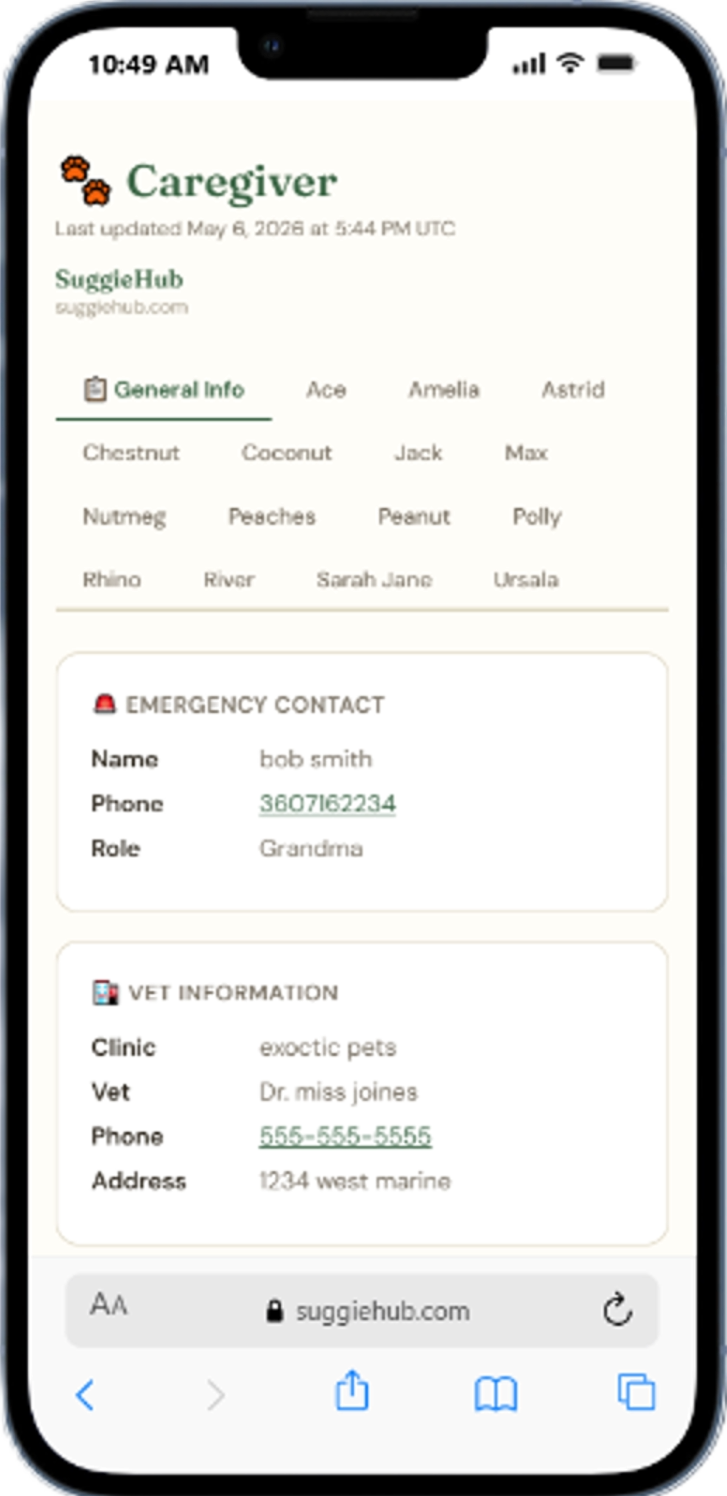
Caregiver sheet input form showing emergency contacts and feeding instructions Caregiver sheet view showing all care information in a clean layout Caregiver sheet per-glider tab with photo and individual care notes
Set up your caregiver sheet free

The problem with leaving your gliders with someone unfamiliar

Sugar gliders are exotic animals with care requirements that most pet sitters have never encountered. They're nocturnal. They need fresh food every night — not a bowl of pellets you can just top off. They glide, they crab, they can hurt themselves or someone else if handled wrong. And if something goes wrong, whoever is watching them needs to know who to call and what to say immediately.

Most glider owners solve this with a handwritten note, a text message thread, or a folder of photos they email to someone the morning they leave. These solutions work until they don't. The caregiver doesn't know which folder to look in. The handwritten note doesn't cover the glider who needs medication. Nobody thought to mention that Biscuit bites.

The SuggieHub caregiver sheet is a structured, always-ready document that covers everything your caregiver needs to know — in one place, on their phone, accessible by a single link. You set it up once, update it whenever something changes, and share it every time you need someone to step in. Vacations, hospital stays, family emergencies — the information is ready before you need it.

✈️ Vacations 🏥 Hospital stays 🚨 Emergencies 👨‍👩‍👧 Family visits 🏡 Boarding situations

Everything your caregiver needs, organized

Fill it in once. Update it as things change. Share it whenever you need to step away.

📞

Emergency contact fields

Primary contact, backup contact, and neighbors — with name, phone, and relationship all clearly labeled.

🏥

Vet info section

Vet name, clinic, phone number, and hours — plus the nearest 24-hour emergency exotic vet if yours isn't available after hours.

🍽️

Feeding instructions

What to feed, how much, what time, where to put the food, and how to prepare it — written out in plain language for someone new.

🚫

Foods to avoid

A dedicated section for foods that are toxic or harmful to sugar gliders — so nothing gets offered "as a treat" by well-meaning caregivers.

🤲

Handling tips

How to approach your gliders, what to do if one escapes, how to handle a glider who is stressed or crabbing, and what to avoid.

🐾

Per-glider tabs with photos

Each glider gets their own tab showing their profile photo and individual care notes — so your caregiver knows exactly who's who.

🌡️

Temperature requirements

Sugar gliders need to be kept between 75–80°F. Temperatures below 70°F can be dangerous. Include your thermostat settings so your caregiver knows exactly what to maintain.

🔗

Private shareable link

One URL that opens the full caregiver sheet. Share it by text, email, or even print it as a QR code.

🔓

No login required for caregiver

Your caregiver doesn't need a SuggieHub account. The link opens the sheet directly — nothing to sign up for, nothing to download.

🔄

Regenerate link to invalidate

After a caregiver visit ends, regenerate the link with one click. The old URL stops working immediately — no awkward conversations needed.

💊

Medical notes per glider

Any glider on medication or with a health condition gets their own notes section — so caregivers know what to watch for.

The peace of mind value

Leaving your gliders is stressful under the best circumstances. Even with a trusted friend or family member, there's always that nagging worry — did I explain everything? Do they know not to let them eat grapes? Did I write down the vet's number? The caregiver sheet removes that worry by turning a mental checklist into a structured document that your caregiver can reference any time, without having to text you mid-vacation to ask something you forgot to cover.

The per-glider tab feature matters more than it might seem. If you have three gliders and one is on antibiotics while another has a tendency to escape when the cage opens too fast, your caregiver needs to know which one is which — not just from memory, but from a photo with a name and notes attached. The tabbed view makes it impossible to confuse them.

And the link regeneration feature is there for the simple reality that caregivers come and go. A link you share with a friend for one trip shouldn't be accessible to them six months later when you're no longer close. Regenerate it when the situation changes. The old link stops working instantly. Your new caregiver gets a fresh one.
The caregiver sheet — as your caregiver sees it

Clean, phone-friendly layout. No login, no friction. Just the information they need, exactly when they need it.

Caregiver view showing general care information in a readable layout Per-glider tab showing photo and individual notes for each sugar glider

Questions about the caregiver sheet

Does my caregiver need a SuggieHub account?
No. The caregiver sheet is accessible via a private link with no login required. Your caregiver opens the link on their phone or computer and sees the full sheet — emergency contacts, feeding instructions, handling tips, and individual glider tabs — without creating an account or downloading anything.
How do I share the link?
From your journal, navigate to the caregiver sheet section and copy the share link. Send it via text, email, messaging app, or print it out. The link is unique to your account and opens the sheet directly. You can also display it as a QR code if you want to post it somewhere physical, like near the cage.
Can I have different instructions per glider?
Yes. The general sections — emergency contacts, vet info, feeding instructions, foods to avoid, handling tips — apply to your whole setup. Each individual glider additionally gets their own tab with their profile photo and a notes field where you can add anything specific to that glider: their personality quirks, medical notes, how they like to be held, what upsets them.
What happens if I regenerate the link?
The old link immediately stops working — anyone who tries to open it will see an access error. A new unique link is generated that you then share with your new caregiver. This is how you ensure that previous caregivers no longer have access to your gliders' information after their time is done.
Can I print the caregiver sheet?
The caregiver sheet view is designed to print cleanly from any browser. Open the link, use your browser's print function, and you'll get a formatted document your caregiver can keep on hand — useful if you're leaving your gliders somewhere with unreliable internet or with someone who prefers paper.

Free for owners, rescues, and breeders.

No credit card. No app to download. Set up your caregiver sheet today so it's ready before you ever need it — not the night before you leave.

Sign up free

Always free. No catch. No card.